Tutorial 1 – Introduction to Cypress
Welcome to Cypress Test Automation & this is the first tutorial in this web automation series. There is a lot of buzz around cypress today and given the passionate community built around it, this buzz will definitely going to sustain in the future! We will start with learning the basics of this wonderful tool and slowly would be expanding our knowledge around it. In this tutorial we are going to introduce you about cypress. So let’s begin!!
What you will Learn :
What is cypress and why is cypress generating so much interest in the market?
Cypress Tool Overview
Cypress Architecture
Cypress ecosystem/components
Cypress Limitations
How are commands executed?
What is cypress and why is cypress generating so much interest in the market?
There is a lot of buzz around cypress today because cypress is different!
The official cypress documentation https://www.cypress.io/features/ lists out a few ‘Game Changers’
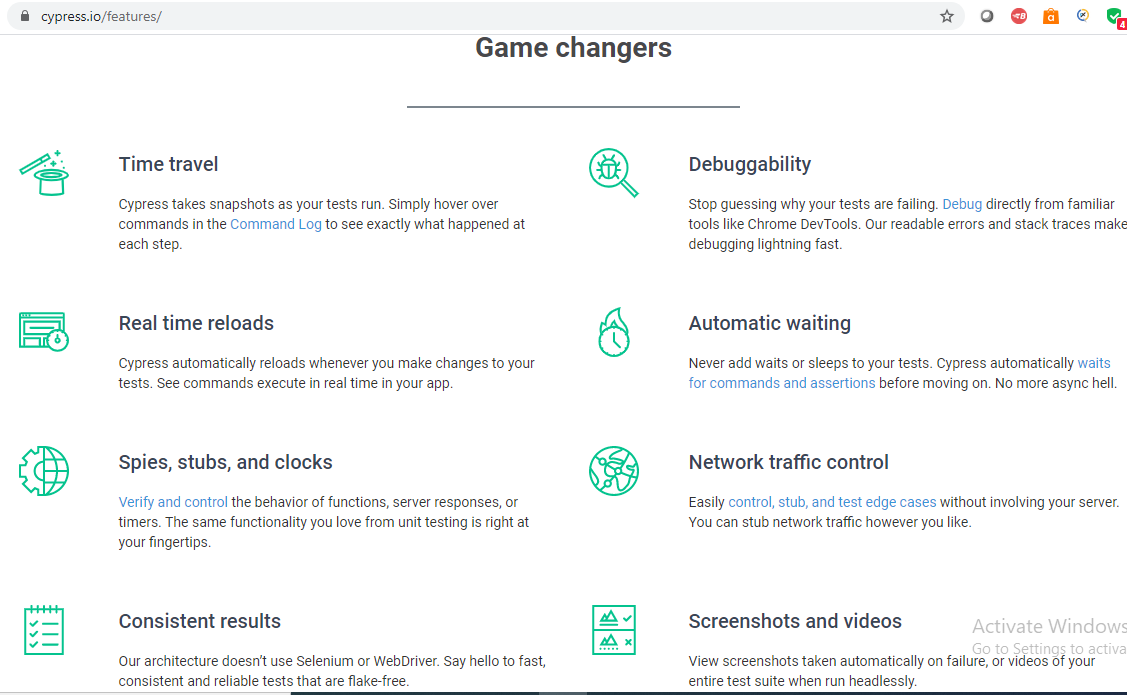
Let us go through them and other benefits to understand why cypress is different:
- Cypress is free, open source, E2E testing framework next generation front end (web) automation tool and it was developed by frontend developers;
- Cypress is built on Node.js and uses JavaScript for writing test scripts, it comes packaged as an npm module;
- Fast: – Cypress is fast because cypress runs inside the browser (cypress executes our test code directly inside the browser) and it can go as fast as your browser can go. Once the test code runs in the browser, it can easily do automation tasks, like, finding elements, clicking them, getting text out of an element, much faster compared to other tools like selenium that run outside the browser;
- It is very easy to install, just one command. Once installed, cypress as a binary gets downloaded and sits on your machine

- All-in-one solution that uses a good set of testing libraries (unlike other automation tools where we have to install them as 3rd parties). It uses Mocha for BDD syntax, it uses Chai for writing assertions, it uses Sinon for spying, mocking and stubbing objects

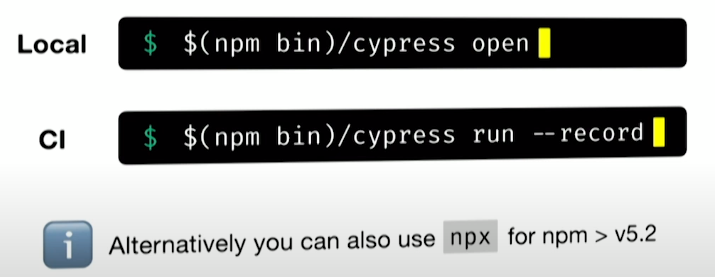
- Cypress is very easy to run. We can execute it easily on our local and on CI. The flag –record will record all your tests on the dashboard
- Real Time Reloads: The Tests are constantly being automatically re-executed while you are working on your tests. You simply have to save your code & the test will automatically re-run on Test Runner.
- 90% of the coding can be done using cypress inbuilt easy to understand javascript commands;
- Command Log: You can simply hover over commands in the Command Log to see exactly what happened at each step. Each test, when clicked, displays every cypress command and assertion executed within the test’s block
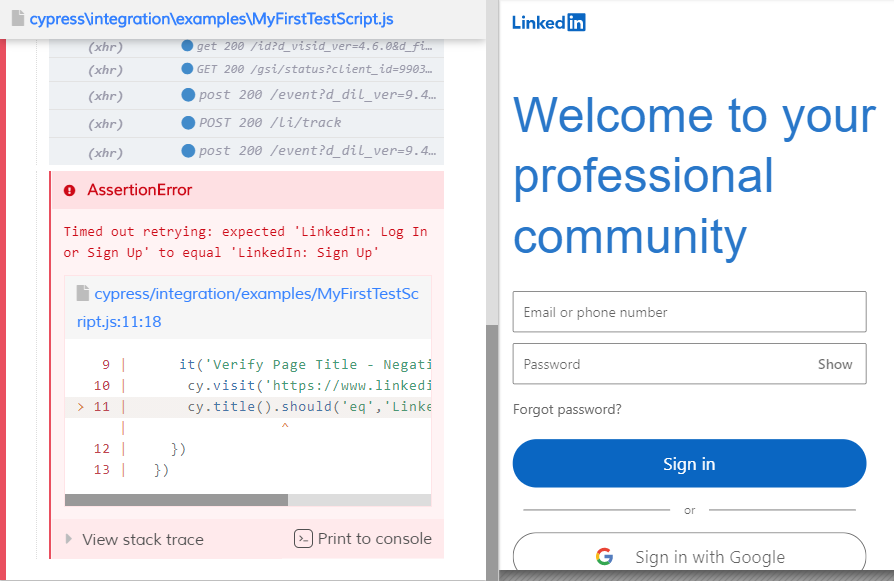
- Debuggability: You don’t have to guess why your tests are failing. Just directly debug from tools like Chrome DevTools (simply press F12 in your chrome browser). Readable errors and stack traces make debugging easier
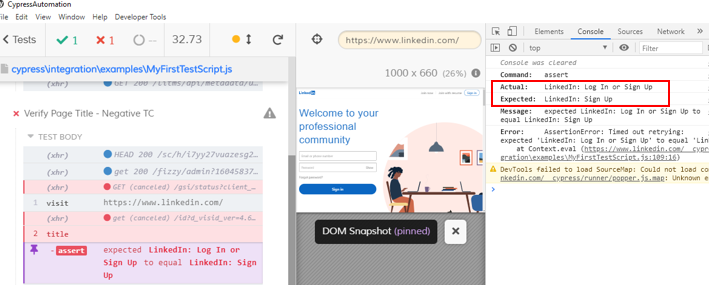
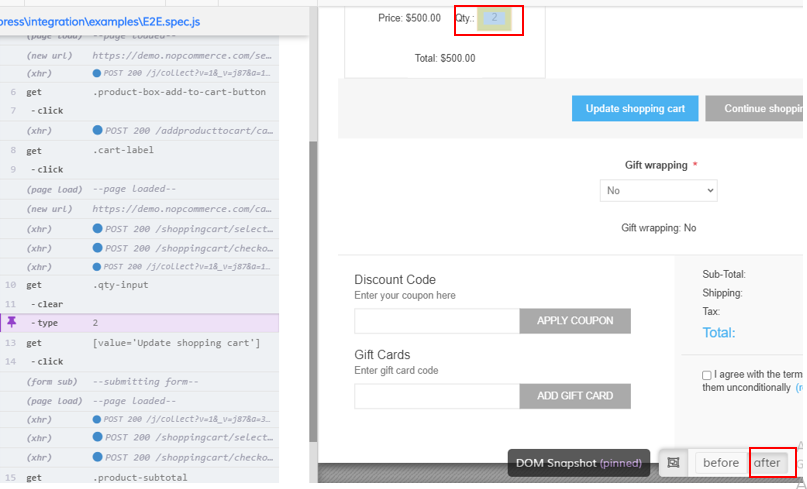
- Time Tavel: Cypress takes snapshots while our tests are running. We can see exactly what happened at each step
- Automatic Waiting for Elements: Unlike other automation tools, you don’t have to add waits or sleeps to your cypress tests. So with cypress, you DON’T have to write additional piece of code to handle page synchronization issues, you don’t have to write explicit wait, implicit wait, fluent wait commands that we write in selenium. Cypress, since it runs inside the browser, it interacts with the DOM and waits for the elements to be actionable (means element to be visible on the page);
- Screenshots & Videos: Cypress takes screenshots automatically on failure. It can also take videos of your entire test suite
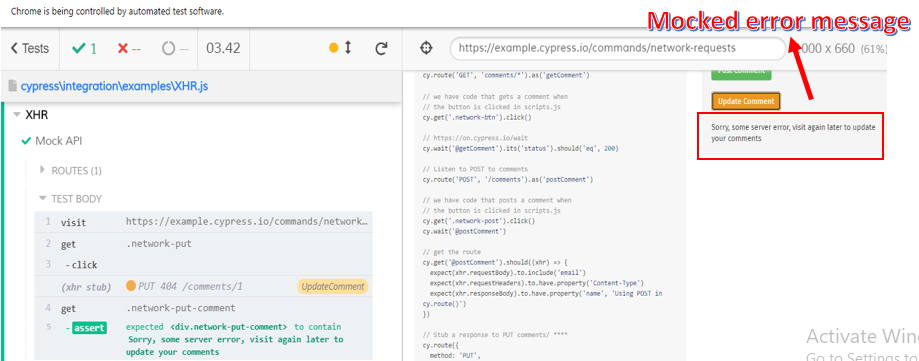
- Mocks, Spies, Stubs (Network Traffic Control): Cypress has the ability to test Edge Test cases by mocking network requests and responses from a fake database. Edge test cases are the ones which otherwise are ‘not good candidates for testing’
- Easily Launch Different browsers: You can easily test your scripts with different browsers (chrome, firefox etc) without writing additional piece of code (unlike in selenium)

Cypress Tool Overview
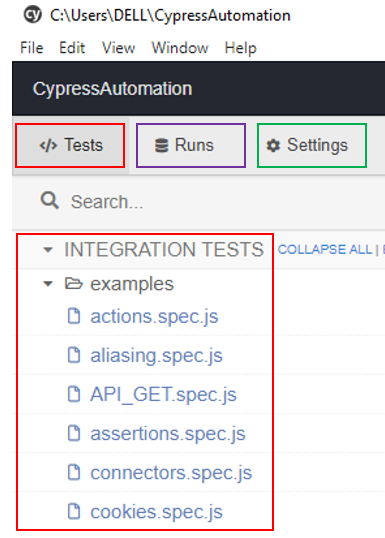
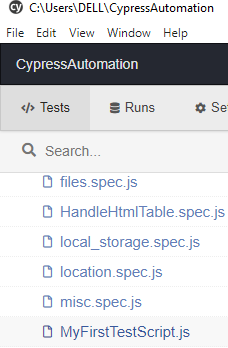
Open cypress and you will see 3 tabs:
- Tests – this will show us all the Tests that we have created plus the default demo tests by cypress
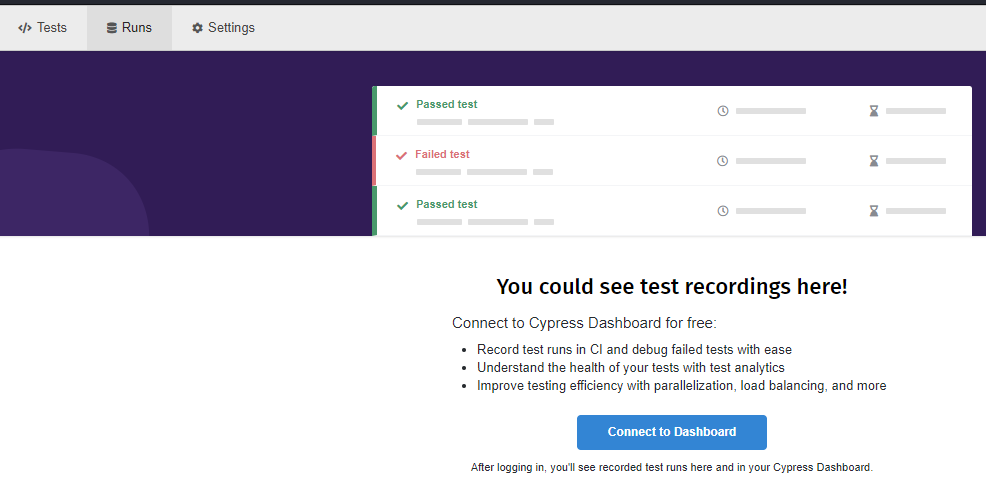
- Runs – you can see test recordings here
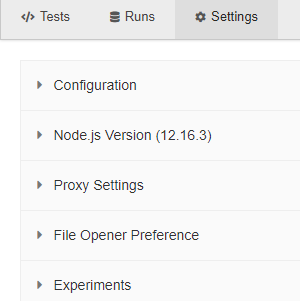
- Settings – to do some configuration settings
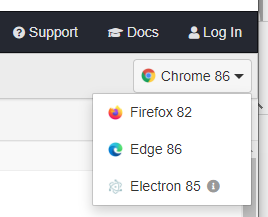
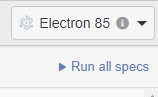
At the right hand side, you can see the different browsers that are supported
You can run all you tests by clicking ‘Run all specs’ (a spec is same as Test)
Let us click any Test (example-MyFirstTestScript.js)
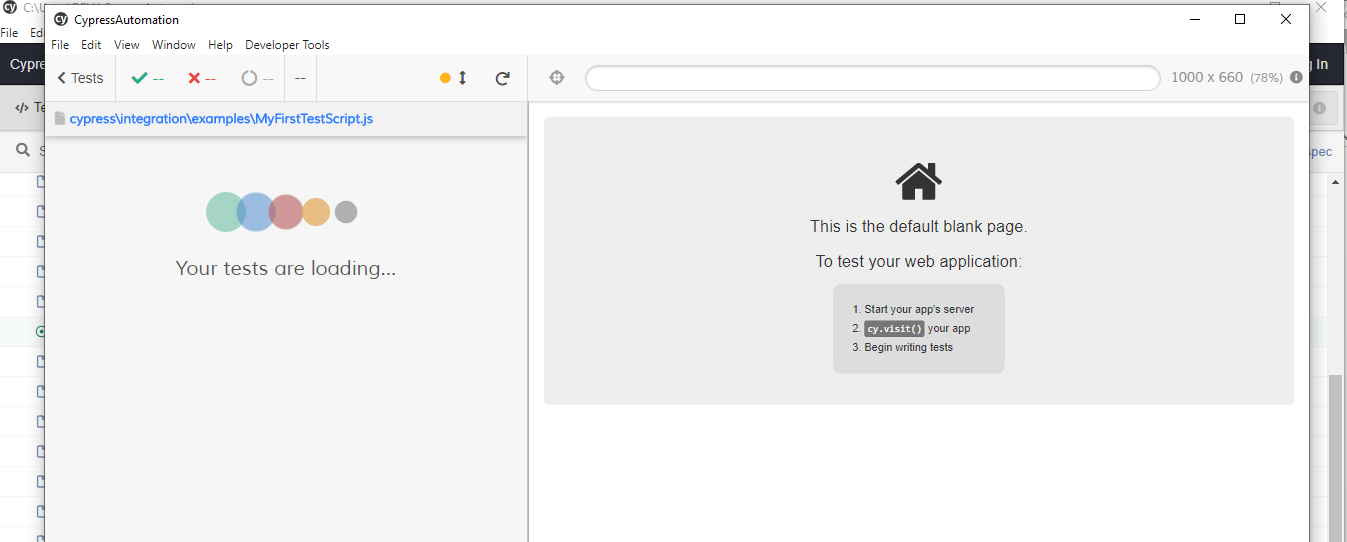
The actual UI from cypress opens
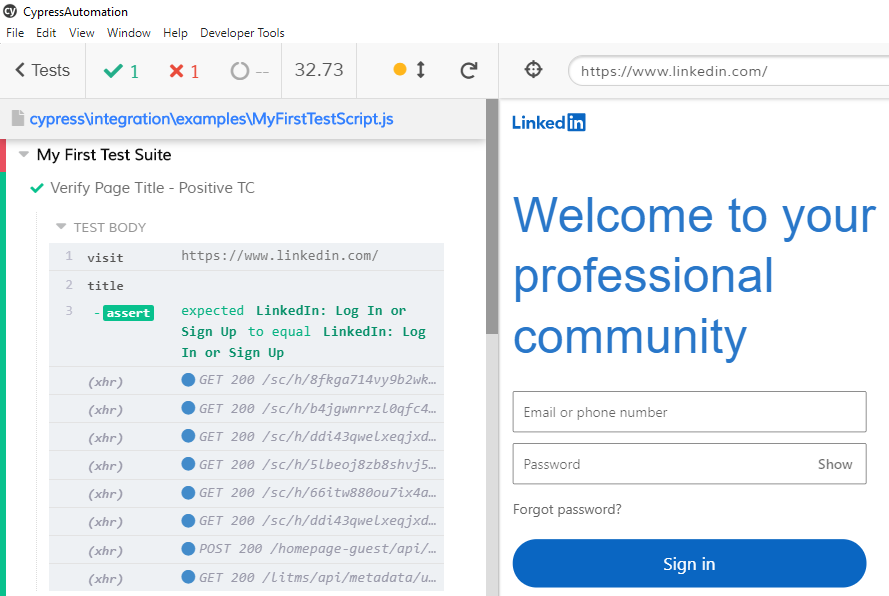
This is how the cypress looks like. Our application is running on our right and the Tests are shown on our left ‘Verify Page Title – Positive TC’
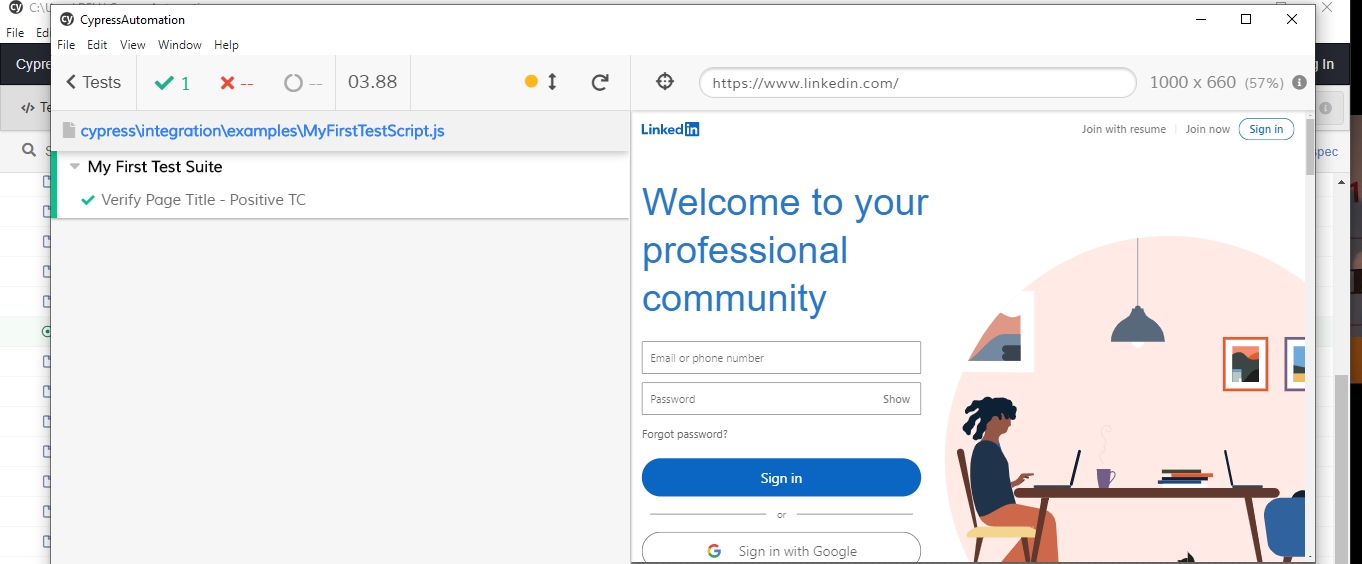
Let us click the Test ‘Verify Page Title – Positive TC’.
That would show up all the steps in our Test. So, for example, in step 1, we are visiting a website and in steps 2/3 we are verifying the page title.
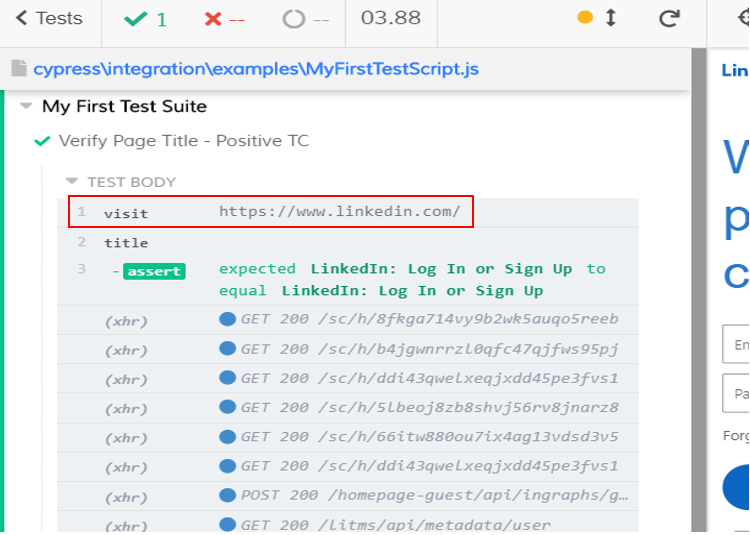
When you hover over different steps, you will see application actually changes on our right.
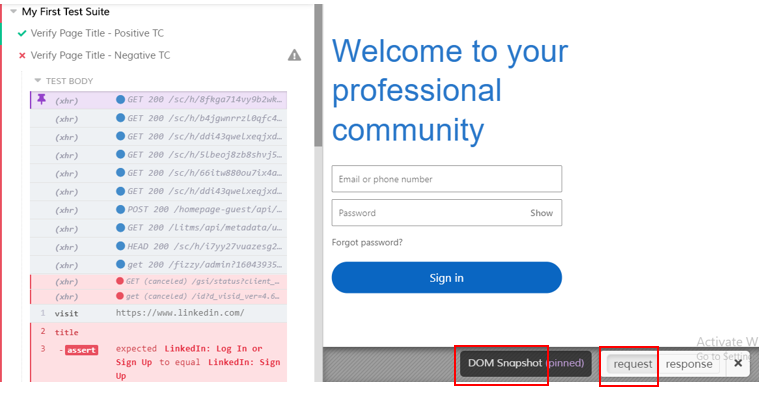
We can click any step and can debug. Each one of these commands takes the DOM snapshot which can be used for debugging. For any step, you can see the snapshot at the ‘request’ & ‘response’ stages

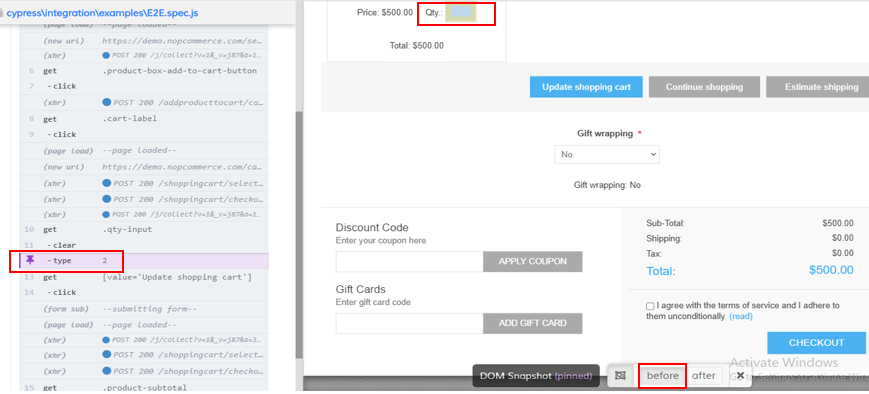
Below is another Test where we have clicked ‘type’ step on left hand side. You can see 2 DOM snapshots: before and after
Below is ‘before’ snapshot (value 2 still not typed)
Below is ‘after’ snapshot (value 2 typed). This is also called as Time-travel
Also Check: Selenium Python Training
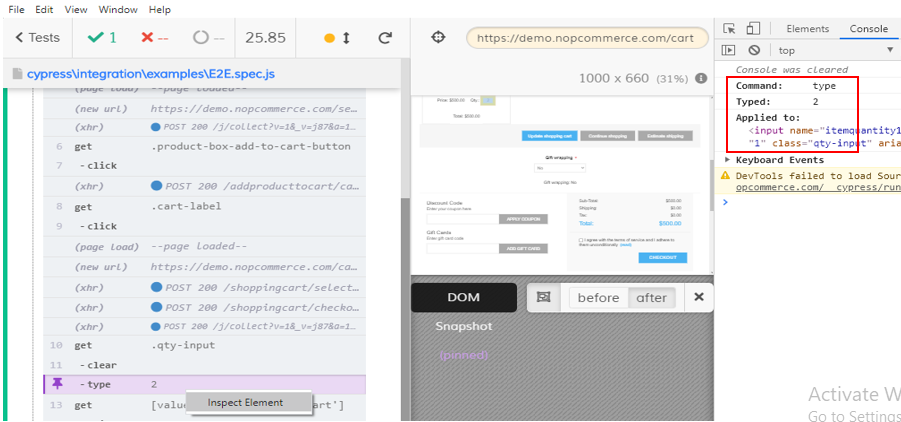
You can inspect the ‘type’ step & click ‘Console’. You can see the command as ‘type’, the typed value as ‘2’, the element it was applied to and so on. So these things help you in debugging.
Also Check: Selenium Online Training
Cypress Architecture
Let us first have a look at Selenium architecture overview:
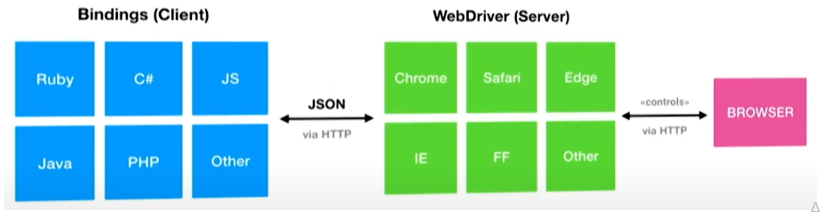
This is general overview of selenium architecture. Selenium is a client server architecture. Every client command is converted into json and is sent via HTTP to selenium server. The server forwards that request to the browser’s native automation APIs. There are many round trips involved & hence slight latency/slowness. All of this stuff is NOT executed inside the browser, its running outside of the browser.
Now let’s take a look at cypress architecture and see how it is different.
Behind cypress, there is a node.js process.
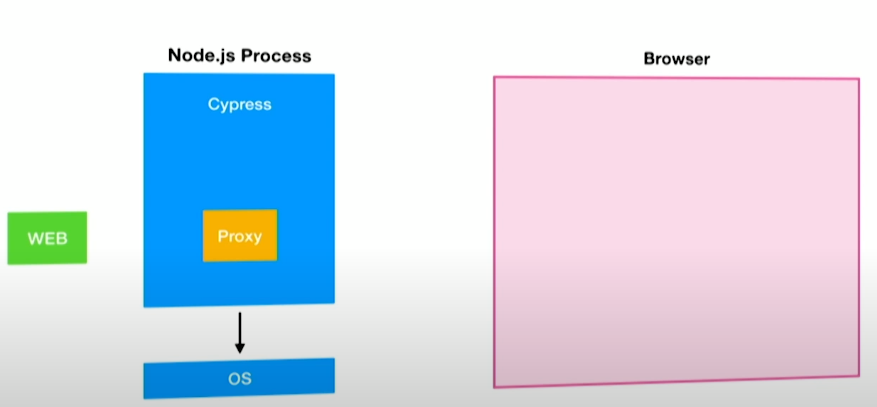
The Node.js process does a couple of things. For instance, when launching a browser, it will STOP the browser with the proxy being set. So there is a proxy provided by cypress and browser runs with that proxy. So Node.js will start the browser with that proxy.
The next thing is that, Node.js will open up an HTML page that contains 2 iframes:
one for our cypress Tests which are executed on local host and another one for our application. So basically, you will see cypress Tests being executed on our left and application on our right. Those are basically the 2 iframes.
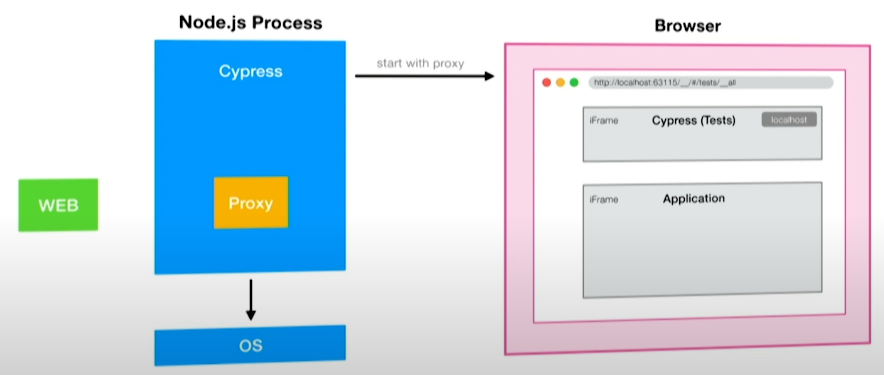
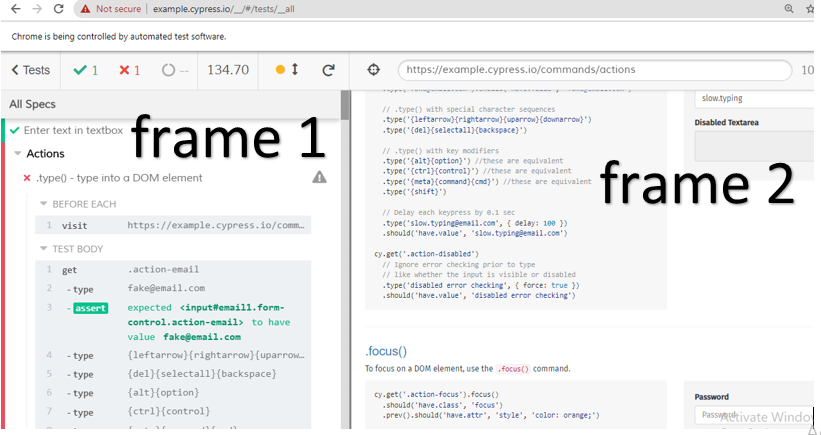
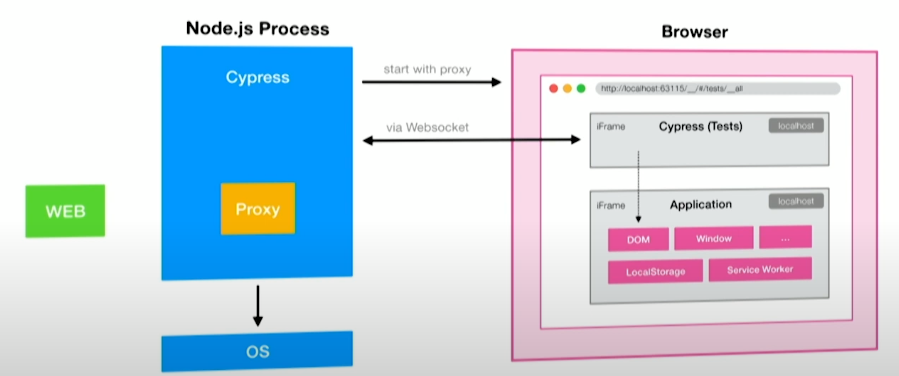
Normally, we cannot communicate between iframes, because our application can run on a different domain and may not be on localhost. The trick here is, what cypress does is, since it launches the browser page and it has access to that page, it injects a script which sets the application’s domain to localhost. Now both the frames are running on the same domain, we can now communicate between 2 iframes. This is what allows cypress to easily access all the objects, like DOM (html properties of webpage), Windows, etc from within our Tests, because both are running on the same domain
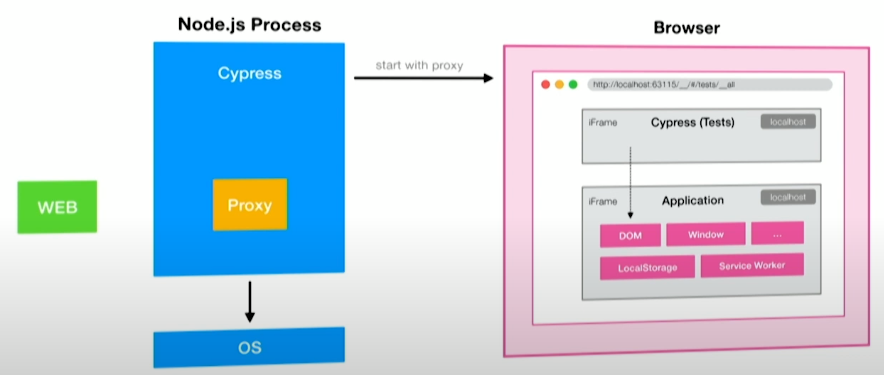
There is a websocket connection between cypress instance inside the browser and Node.js process for anything that requires higher order privileges, like, cypress has access to OS, it can take screenshots, it can record videos etc
What does the proxy do? A proxy server acts as a gateway for HTTP requests from clients seeking resources from servers that provides those resources. So for every HTTP request that goes out of the browser, it goes through the proxy, out to the WEB and back to the browser. So cypress operates on a network layer and it can control and alter every HTTP request.
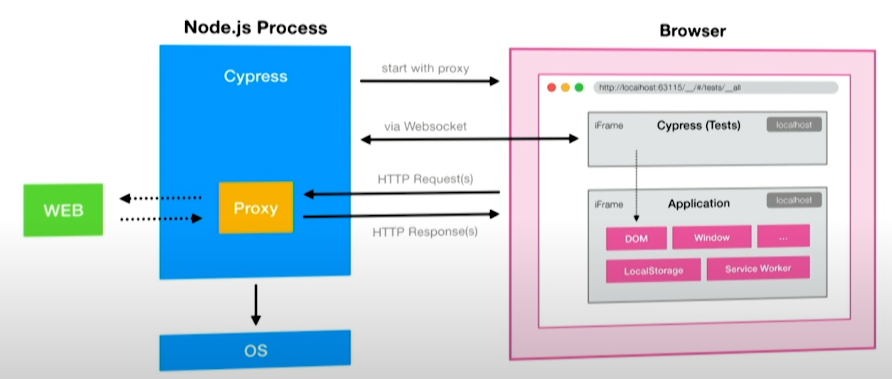
So this is how cypress works. What you have to understand is that, everything runs inside the browser. Our Tests are executed inside the browser in the same run loop as our application.
In summary: Cypress runs inside the browser and uses Node for anything outside of the browser
Cypress ecosystem/components
Cypress has 2 components:
- Test Runner: component helps you write and execute cypress Test scripts;
- Dashboard: component gives you an insight into what happened when our tests ran. Thus you can view/replay the videos of entire tests execution.
Cypress Limitations
- Cypress supports ‘Chrome, Electron, Edge and Firefox’ browsers only (IE browser not supported as of now). Chrome is the preferred browser. The reason being, front end developers generally use chrome because we can easily add lot of add-ins to it
- Second, cypress is a ‘JavaScript only’ tool because this language is very natural for front-end developers;
- Third, the testing framework is only ‘Mocha’. Mocha not only comes with Test-Runner, but also with mocking capabilities.
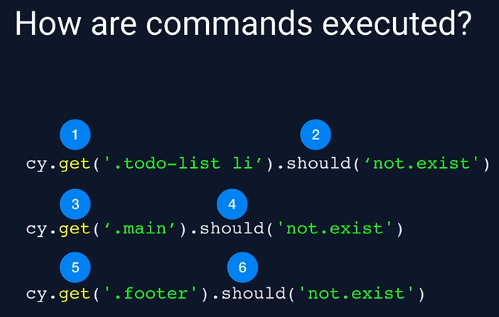
How are commands executed
Everything is going to happen in order that you wrote your tests. So see below. Here, you want to get the todo list element and you want to make the assertion that it does not exist
So this was an introduction to cypress. In our next tutorial, we would learn how to install cypress on a windows machine.
Thank you for reading!
Also Check: API Testing Training